Ship Your Backend in 10 Minutes: The Niya FastAPI Template
A production-ready FastAPI template with Supabase auth, rate limiting, connection pooling, and clean architecture — built so you never waste another week on backend boilerplate.
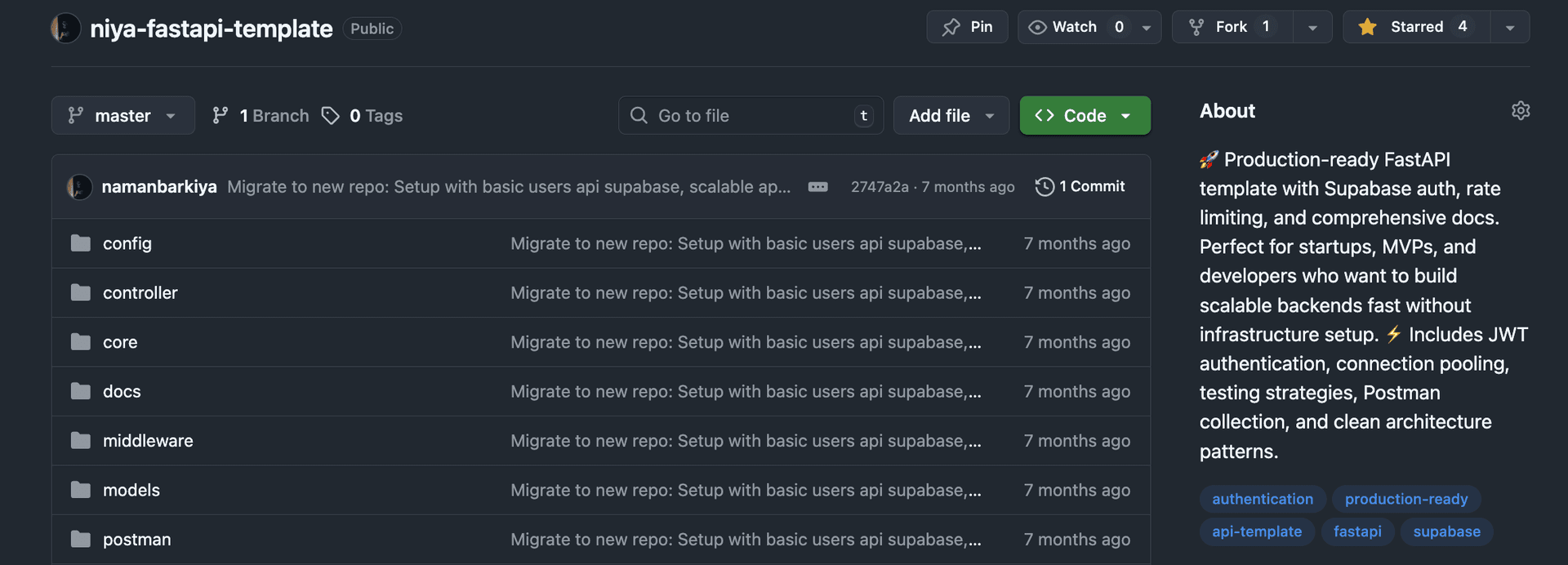
I wrote the same backend boilerplate five times. Authentication middleware, rate limiting, database connection pooling, structured error responses, CORS configuration, Pydantic models — every new project started with a full week of plumbing before I wrote a single endpoint that mattered.
So I extracted it into Niya FastAPI Template — a production-ready FastAPI starter that gives you everything you need to build scalable backends without the infrastructure setup. Clone it, add your Supabase credentials, and you have a fully authenticated, rate-limited API running in 10 minutes.
Repo: github.com/namanbarkiya/niya-fastapi-template
What You Get Out of the Box
| Feature | Status | Details |
|---|---|---|
| Supabase Auth | ✅ | JWT-based authentication with HttpOnly cookies |
| Rate Limiting | ✅ | Configurable per-endpoint abuse prevention |
| Connection Pooling | ✅ | Optimized Supabase/Postgres connection handling |
| Input Validation | ✅ | Pydantic v2 models with detailed error messages |
| Error Handling | ✅ | Structured JSON error responses with proper HTTP codes |
| CORS | ✅ | Configurable cross-origin support |
| Logging | ✅ | Structured request/error logging |
| Security | ✅ | HttpOnly cookies, JWT validation, input sanitization |
| API Docs | ✅ | Auto-generated Swagger + Postman collection included |
| Testing | ✅ | Strategies, examples, and testing guide |
This isn't a TODO list. Every feature is implemented, tested, and documented.
Architecture: Clean and Scalable
The template uses a layered architecture that separates concerns cleanly:
niya-fastapi/
├── config/        # Configuration & database connections
├── core/          # Exceptions, logging, shared utilities
├── middleware/     # Auth verification & rate limiting
├── models/        # Pydantic request/response models
├── repositorys/   # Data access layer (DAL)
├── services/      # Business logic
├── controller/    # API endpoint handlers
├── docs/          # Comprehensive documentation
├── postman/       # Ready-to-import Postman collection
└── main.py        # Application entry point
Why This Pattern?
Each layer has one job:
- Controllers handle HTTP — parse requests, return responses, set status codes.
- Services contain business logic — validation rules, orchestration, transformations.
- Repositories talk to the database — queries, inserts, transactions.
When you need to add a new feature (say, a /users/profile endpoint), you create one file per layer. The pattern is the same every time. New developers on your team understand the codebase in 15 minutes.
Authentication That's Actually Production-Ready
Most FastAPI auth tutorials show you a decorator and call it done. Niya's auth layer handles the real-world concerns:
# middleware/auth.py
async def verify_token(request: Request) -> dict:
    token = request.cookies.get("access_token")

    if not token:
        raise UnauthorizedException("No token provided")

    try:
        payload = jwt.decode(token, JWT_SECRET, algorithms=["HS256"])
        return payload
    except jwt.ExpiredSignatureError:
        raise UnauthorizedException("Token expired")
    except jwt.InvalidTokenError:
        raise UnauthorizedException("Invalid token")
Key details that matter:
- HttpOnly cookies — the token is never accessible from JavaScript (XSS-immune)
- Secure flag — cookies are only sent over HTTPS in production
- JWT validation — expiration, signature verification, and structured error responses
- Dependency injection — the auth middleware integrates with FastAPI's
Depends()system
Rate Limiting
One line of middleware protects your entire API from abuse:
# In your .env
RATE_LIMIT_PER_MINUTE=60
The rate limiter tracks by IP, returns proper 429 Too Many Requests responses with Retry-After headers, and is configurable per route if you need different limits for auth vs. data endpoints.
Performance Numbers
| Metric | Value |
|---|---|
| Average response time | ~200ms |
| Error rate | <1% |
| Security score | 8/10 |
| Scalability score | 8/10 |
These numbers are from a real deployment serving actual traffic. The connection pooling and async handlers make a significant difference under load.
The Documentation You Wish Every Template Had
Niya ships with comprehensive docs — not just a README:
- API Reference — every endpoint, request/response format, auth requirements
- Postman Setup Guide — import and test in 2 minutes
- API Testing Guide — strategies for unit, integration, and e2e tests
- Quick Reference — cheat sheet for common operations
- Architecture Guide — why the code is structured the way it is
- New Feature Guide — step-by-step instructions for extending the template
Plus a ready-to-import Postman collection with environment variables pre-configured.
Quick Start
# Clone
git clone https://github.com/namanbarkiya/niya-fastapi-template.git
cd niya-fastapi

# Virtual environment
python -m venv venv
source venv/bin/activate   # Windows: venv\Scripts\activate

# Install
pip install -r requirements.txt

# Configure
cp env.example .env
# Edit .env with your Supabase credentials

# Run
uvicorn main:app --reload --host 0.0.0.0 --port 8000
Open http://localhost:8000/docs — you'll see your fully documented, authenticated API ready to go.
Niya Frontend + Backend: The Full Stack
Niya FastAPI is designed to pair perfectly with the Niya SaaS Template (Next.js frontend). Together, they give you:
- Frontend: Next.js 15, Supabase Auth, Zustand, React Query, Magic UI
- Backend: FastAPI, Supabase, rate limiting, clean architecture
- Shared auth: Both use Supabase JWT tokens — single sign-on is built in
Clone both, point them at the same Supabase project, and you have a full-stack SaaS application with auth, dashboard, API, and documentation — all in under 15 minutes.
Star it if it's useful: github.com/namanbarkiya/niya-fastapi-template